
Scan your system to find exact RAM

|
|
|
|
|
|
|||
| Its easy to sell anythig online now. Post FREE Classified Ads. | |||
|
DRAM installation
is usually pretty straight forward as there usually is only one way a DRAM
can be correctly inserted into the motherboard. DRAMs must be firmly seated into their connectors to function correctly. Whatever you do, don't try to force Drams into connectors. If the DIMM doesn't seem to fit, turn it around as you could be inserting it backwards. Tip: Review your motherboard manual carefully to determine the correct way to face your DDR SDRAMs on the motherboard.
DDR Memory RAM | DDR2 Memory RAM | DDR3 Memory RAM DDR3 is the next-generation, high-performance solution for CPU systems. DDR3 memory are twice as fast as today's highest speed DDR2 memory products. Select your DDR3 Memory from the following. DDR Memory RAM
DDR2 Memory RAM
|
|||||||||||||||||||||||||||||||||||||||||||||||||||||||||||||||||||||||||||||||||||||||||||||||||||||||||||||||||||||||||||||||||||||||||||||||||||||||||||||||||||||||||||||||||||||||||||||||||||||||||||||||||||||||||||||||||||||||||||||||||||||||||||||||||||||
Copyright © 2009
DDR Memory RAM
www.ddrmemoryram.com
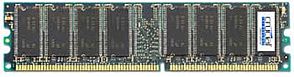

 High-Speed Best Price DDR3 Memory Upgrades